DICOM Studio Go Is Here: Professional Medical Imaging Now in Your Pocket
Our latest release brings a full-featured, touch-native DICOM viewer to iPhone and iPad; changing the way healthcare professionals interact with medical images on the go.
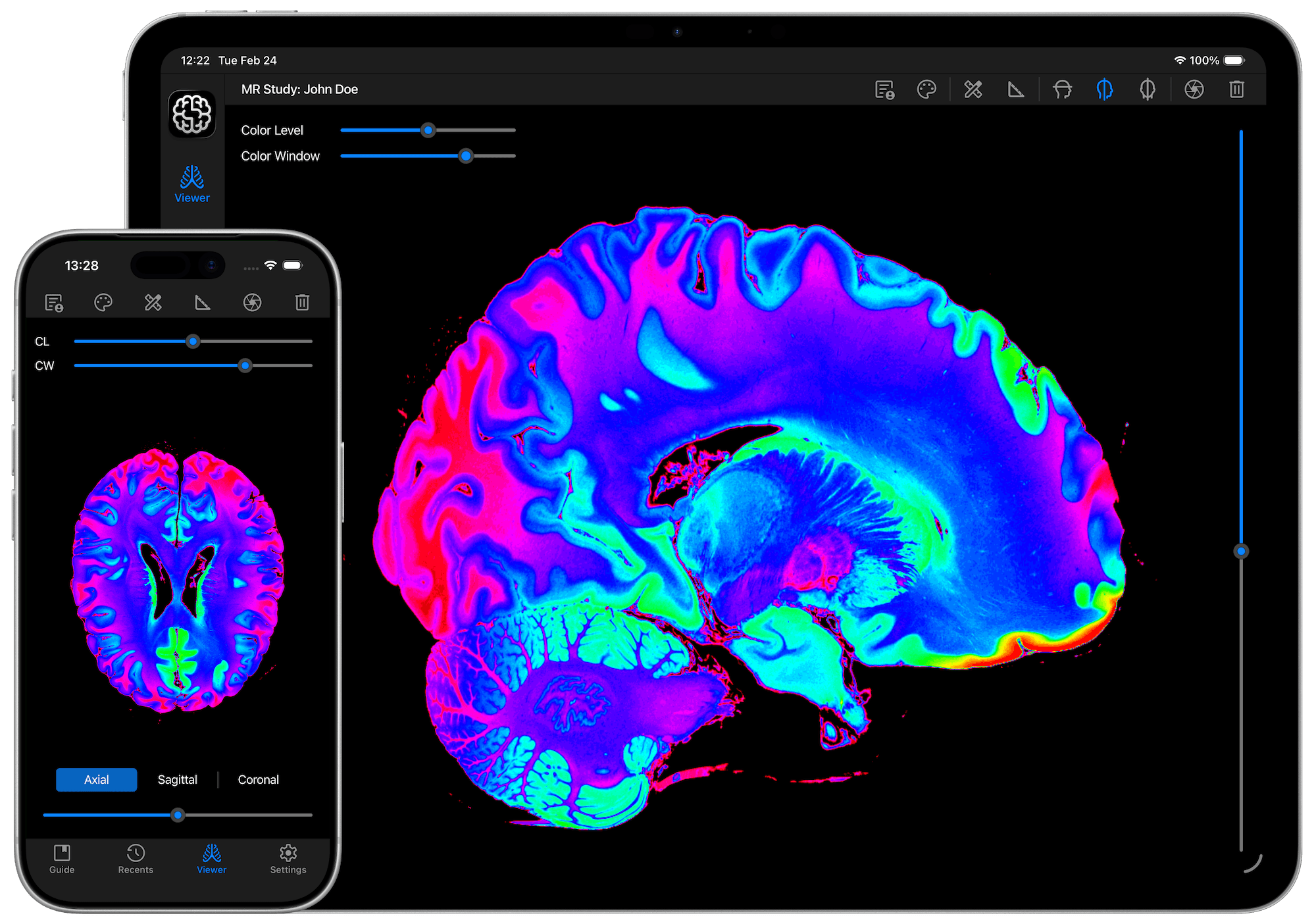
Medical imaging has long been tethered to the workstation. Radiologists, surgeons, and clinicians have traditionally relied on desktop software to view, analyse, and interpret DICOM studies - powerful tools, certainly, but ones that demand a fixed environment. For a field defined by urgency and precision, that limitation has always carried a cost.
Enter DICOM Studio Go, our newly launched iOS and iPadOS application that sets out to untether medical imaging entirely. Designed from the ground up for touchscreen interaction, DICOM Studio Go brings professional-grade DICOM viewing to the iPhone and iPad - making it possible to review a study in a consultation room, at the bedside, or between appointments, without compromising on the tools clinicians depend upon.
What Is DICOM Studio Go?
DICOM Studio Go is a professional, touch-native DICOM viewer designed for mobile devices. Featuring advanced image processing and an intuitive mobile design, it lets users view, compare, and interpret studies seamlessly anywhere, anytime.
It is the mobile companion to our established desktop offering, DICOM Studio, and represents a deliberate effort to extend clinical-grade imaging capability to the platform most healthcare professionals already carry with them every day. Optimised for iOS and iPadOS, DICOM Studio Go allows users to fit a complete DICOM viewer in their pocket.
The app is available now for download on the App Store, and comes with a 7-day free trial, giving professionals the opportunity to explore its full feature set before committing.
A Feature Set Built for Clinical Precision
What distinguishes DICOM Studio Go from generic image viewers is the depth and relevance of its toolset. These are not cosmetic additions. Each feature has been crafted with clinical utility in mind.
Precision Measurement Tools
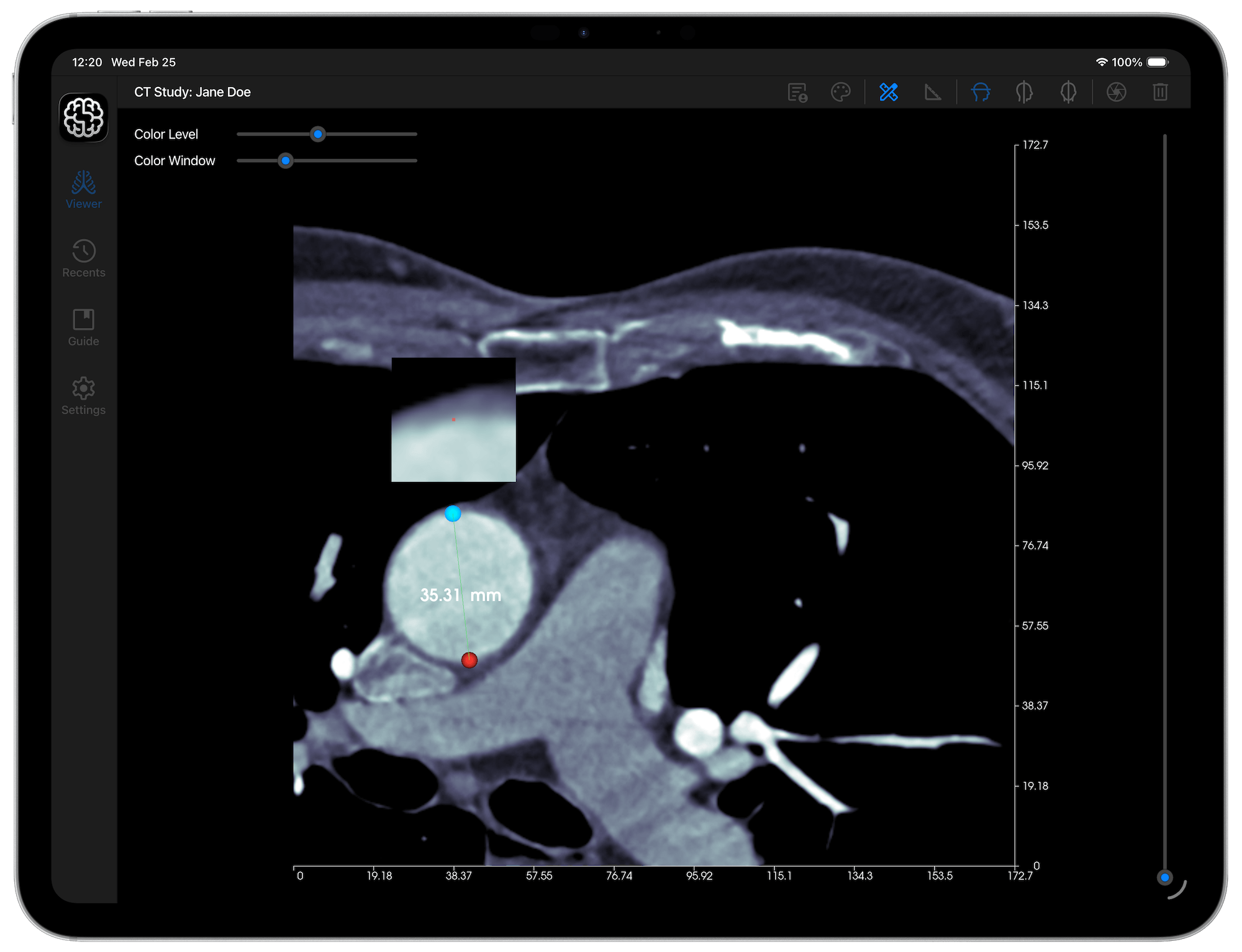
Quantifying anatomical features accurately is a cornerstone of diagnostic imaging. DICOM Studio Go delivers a comprehensive suite of measurement instruments designed for this purpose.
The X & Y Axes feature adds axes with 10 equally spaced points onto the length and width of each slice in view, with each point displaying the distance from the origin. For studies where spatial orientation and dimensional reference are critical, this provides immediate contextual grounding.
The Angle Tool enables users to mark three points on an image, with the angle between those three points calculated and displayed automatically. This is particularly valuable in orthopaedic and musculoskeletal imaging, where angular measurements inform treatment decisions.
The Distance Tool allows users to mark any two points on an image, with the distance between them calculated and displayed in real time. Combined with the built-in Magnifier, which activates as users drag the Distance or Angle Tool's handles, enabling precise point placement during measurement refinement, the result is a measurement workflow that feels both natural and reliable on a touchscreen.
Multi-Orientation Viewing
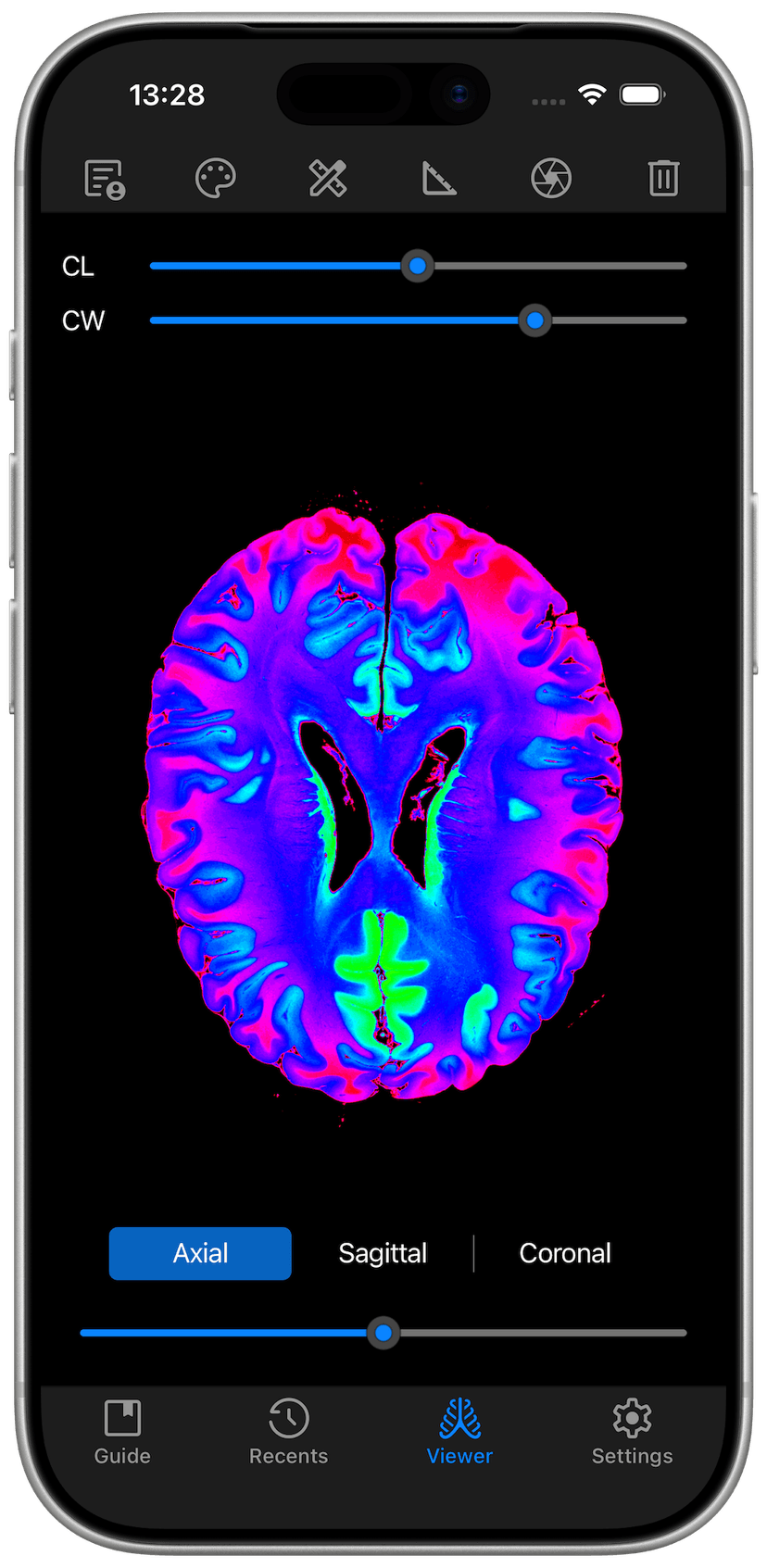
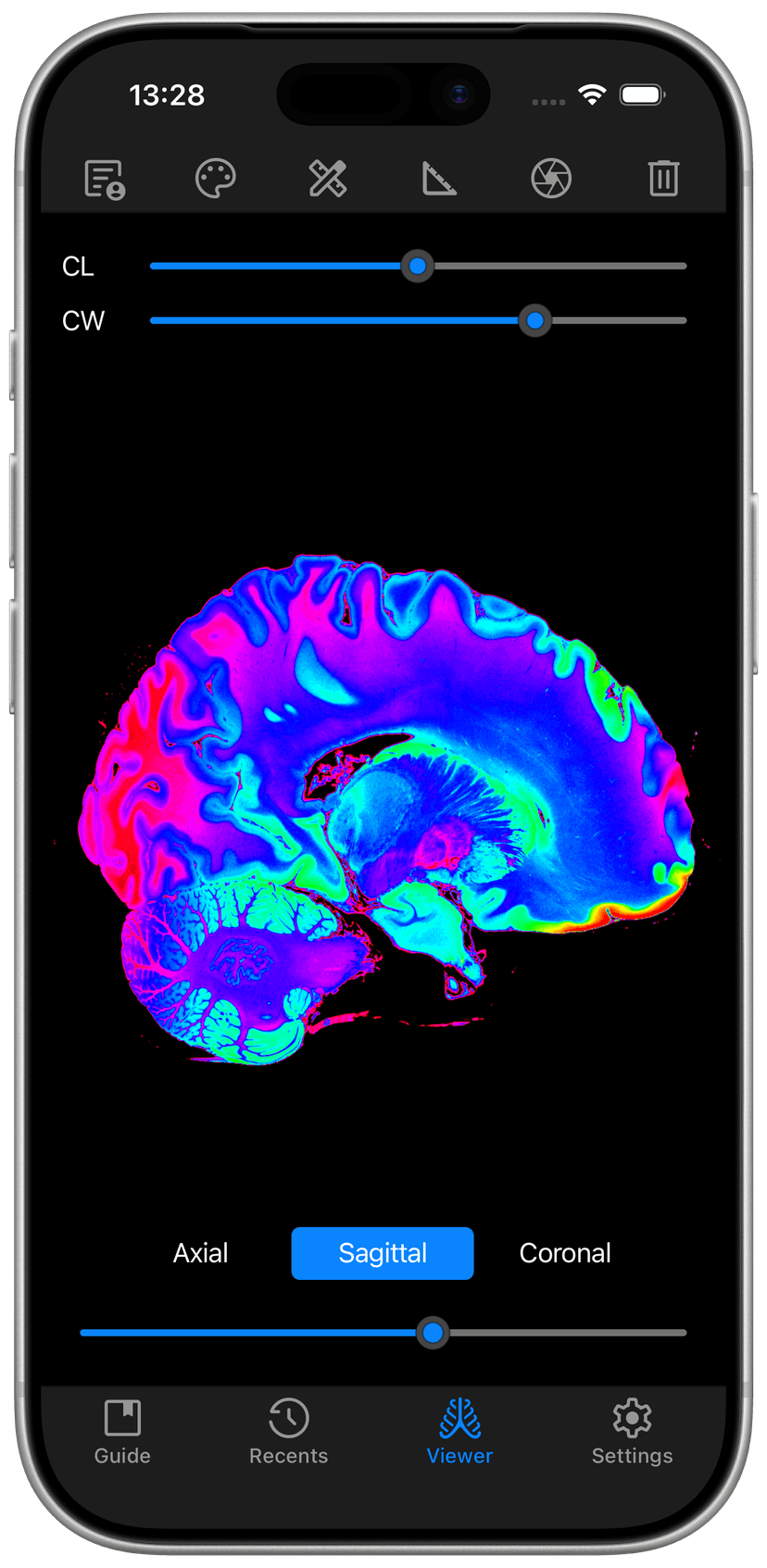
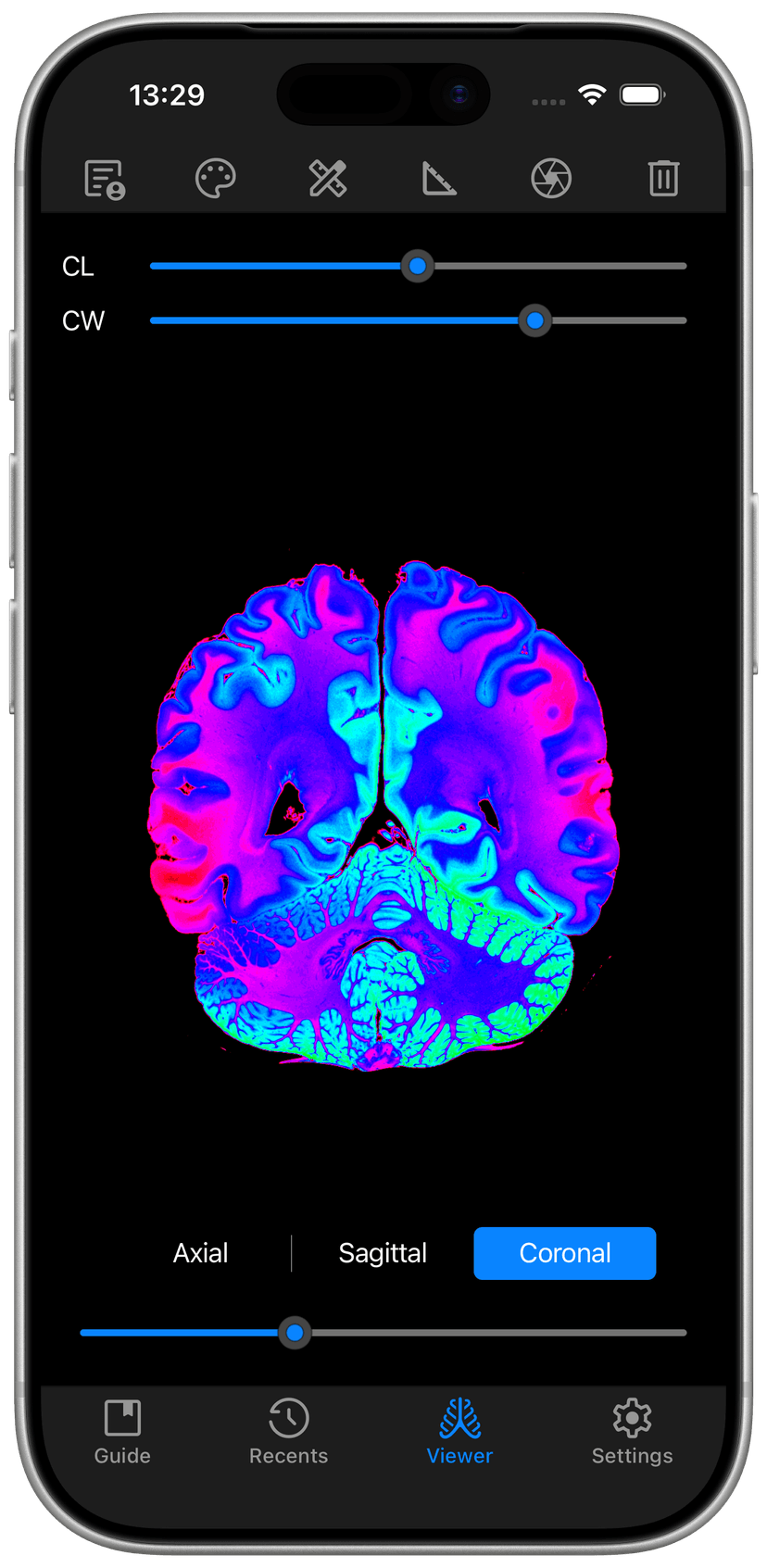
One of the most clinically significant capabilities in DICOM Studio Go is its support for multi-planar reconstruction. Users can switch between Axial, Sagittal, and Coronal orientations, all reconstructed from a single study. The ability to re-orientate a volumetric dataset directly from a mobile device, with no desktop intermediary, is a genuine advancement for point-of-care decision-making.
Image Enhancement and Colormaps
Interpreting a DICOM image is not merely about viewing it, it is about seeing the right information at the right contrast. DICOM Studio Go allows users to adjust the brightness and contrast of images using dedicated Colour Level and Colour Window sliders.
Beyond standard grayscale, the application supports a range of distinct scientific and DICOM-standard colormaps, which can be applied to enhance the view of intricate details in each slice. Whether the task involves differentiating soft tissue boundaries or highlighting areas of high density, these tools provide the visual flexibility clinicians need.
Touch-Native Interaction and Sharing
Built for touchscreen interaction, DICOM Studio Go supports standard pinch gestures for panning, zooming in, and zooming out of images. This may seem a small detail, but in practice it means the interface behaves exactly as an iPhone or iPad user would expect; fluid, responsive, and requiring no adaptation period.
Collaboration and documentation are equally well served. Users can capture screenshots of individual slices in PNG format and share them using any communication app on their device. Sending an annotated image to a colleague, attaching it to a patient record, or including it in a referral becomes a matter of seconds.
Who Is DICOM Studio Go For?
The application is designed for any healthcare professional who works with medical imaging data and values mobility. Radiologists reviewing studies away from the reading room, surgeons preparing for a procedure, orthopaedic specialists discussing findings with patients, and medical educators demonstrating anatomical concepts; all stand to benefit meaningfully from a tool of this calibre on a device they already carry.
For smaller clinics and independent practitioners, DICOM Studio Go represents an opportunity to access professional-level imaging capability without the overhead of dedicated workstation infrastructure. The application's accessible entry point, anchored by a 7-day free trial, lowers the barrier to adoption considerably.
Why This Launch Matters
The arrival of DICOM Studio Go on iOS and iPadOS is not merely a product launch, it signals a broader shift in how clinical imaging tools are conceived and delivered. As healthcare professionals increasingly operate across settings and expect their tools to travel with them, the demand for mobile-first, professionally capable imaging solutions will only grow.
We have responded to that demand with an application that does not compromise. DICOM Studio Go brings the full precision of a desktop-class DICOM viewer to the touchscreen, and in doing so, it extends the reach of professional imaging into every moment and every setting where it is needed.
Conclusion
DICOM Studio Go is available now on the App Store for iPhone and iPad. A 7-day free trial provides full access to every feature, so there is no reason not to see for yourself what professional medical imaging on iOS truly looks like.